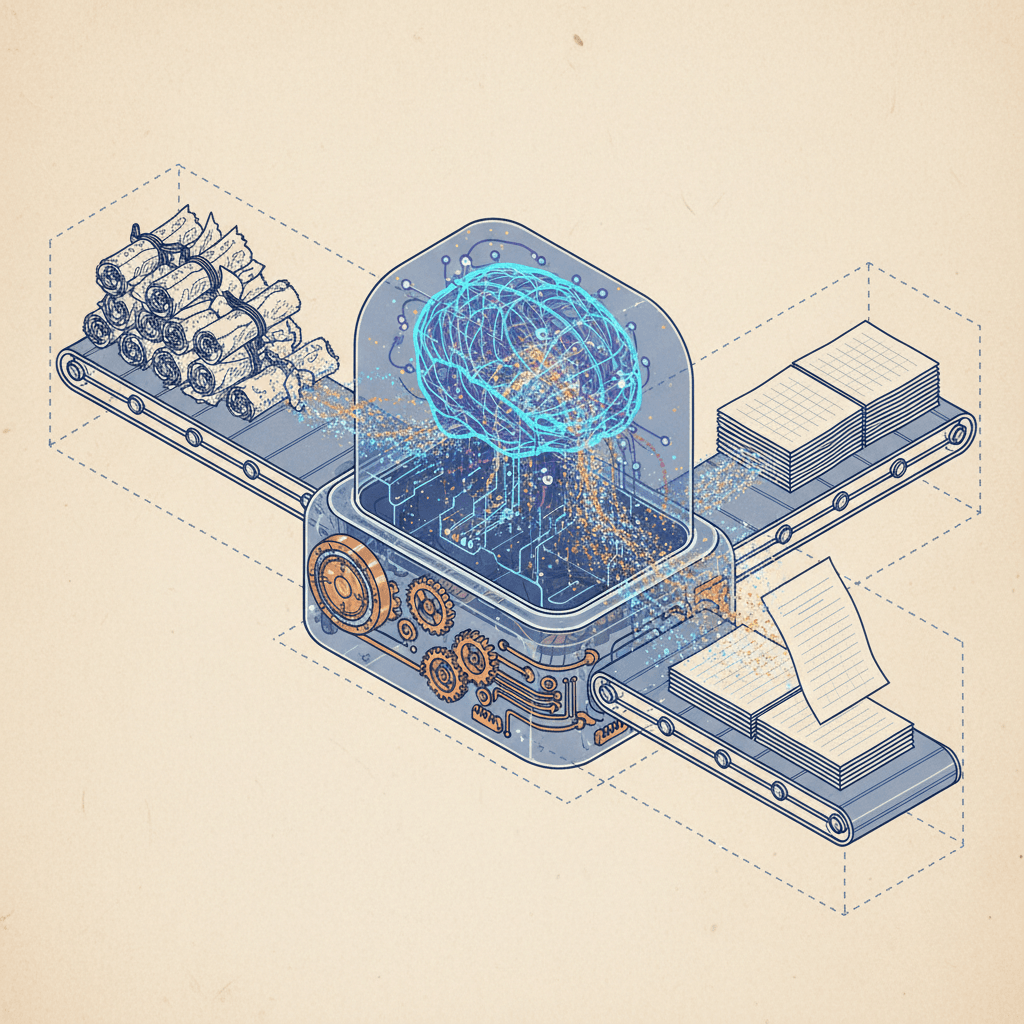
The Pain of Manual Changelogs at Scale
Building an AI changelog generator solves the core pain of manual changelog creation for growing software teams. Every software team faces release day chaos: someone must manually sift through dozens—or hundreds—of Git commits to craft coherent release notes. This process kills productivity.
Teams spend 4-8 hours per release documenting changes. This involves cross-referencing commits, standardizing language, and formatting everything into a presentable changelog. For bi-weekly releases, that's over 100 hours yearly on grunt work that delivers zero product value.
Problems multiply fast. Manual changelogs lack consistency—team members use varying styles, terminology, and formatting. Critical changes get buried or forgotten. Junior developers waste time context-switching through Git history. Marketing gets notes too technical for users or oversimplified to uselessness. Auditing production changes from months ago? Good luck with scattered Slack threads and incomplete PR descriptions.
The true cost hits consistency, accuracy, and morale. Studies reveal 30-40% error rates in manual release notes—from missing features to wrong version numbers. An AI changelog generator eliminates this entirely, turning raw Git commits into professional, organized AI release notes in seconds, not hours.
Benefits of AI Changelog Generators
Switching to an automated changelog system powered by AI delivers immediate, measurable wins. First, time savings are dramatic: what took 4-8 hours drops to under 60 seconds per release. Teams reclaim hundreds of hours annually for feature development.
Second, error reduction nears 100%. AI enforces consistent formatting, categorizes changes accurately, and never forgets commits between tags. No more missing features or version mismatches.
Third, improved stakeholder communication. AI documentation tools generate polished prose that balances technical depth for engineers with clarity for marketers and users. Breaking changes get highlighted. Non-technical audiences finally understand what shipped.
Fourth, scalability. As commit volume grows from dozens to thousands, manual processes collapse. AI scales effortlessly, handling enterprise-scale histories without added headcount.
Finally, morale boost. Developers hate documentation drudgery. Automation frees them to code, not chronicle. For deeper automation examples, see our guide on From Manual Chores to 90% Time Savings: Automating Release Notes with GitHub Actions and AI.
What You Will Build and Achieve
Follow this playbook to deploy a complete AI changelog generator pipeline. Every Git tag push triggers a GitHub Action that extracts commits since the last release, parses them via Conventional Commits, feeds structured data to an AI model (OpenAI GPT or local alternatives), and returns polished automated release notes. The Markdown changelog auto-commits to your repo and publishes to users—no human touch required.
End result: Tag git tag v1.5.0, push to GitHub, and within 60 seconds, a categorized changelog appears in your repository. Implementation takes 2-3 hours. Savings start on your next release. Compare changelog vs release notes in our dedicated guide for usage clarity.
Prerequisites and Setup
Node.js 16+ required locally and in CI/CD. Verify: node --version. GitHub repo with history and tags needed. Fresh repo? Initialize and tag a baseline. OpenAI API key essential (or local LLM—we cover both). Get one at OpenAI Platform.
Basic GitHub Actions YAML knowledge required, plus repo secrets setup. Master Conventional Commits specification—it's the parsing foundation. Use semantic versioning tags like v1.0.0.
AI Model Options: Beyond OpenAI GPT-4-turbo, consider local alternatives like Ollama with Llama3 or Mistral for privacy/cost control. Open-source tools like AI-Changelog-Generator or CLI options such as changelog-bot offer no-API-key setups. Azure OpenAI provides enterprise compliance. Test models in scripts to match your needs—speed vs quality tradeoffs vary.
The Playbook: Step-by-Step Implementation
Step 1: Enforce Conventional Commits with commitlint and Husky
Standardized messages feed your automatic changelog generator clean data. Conventional Commits format: type(scope): description. Types: feat, fix, chore, etc. Without this, AI gets garbage, outputs unreliable AI release notes.
Install commitlint and Husky:
npm install --save-dev @commitlint/config-conventional @commitlint/cli husky

npx husky install

npx husky add .husky/commit-msg 'npx --no -- commitlint --edit "$1"'
commitlint.config.js in repo root:
module.exports = {
 extends: ['@commitlint/config-conventional'],
 rules: {
 'type-enum': [
 2,
 'always',
 ['feat', 'fix', 'docs', 'style', 'refactor', 'perf', 'test', 'chore']
 ],
 'type-case': [2, 'always', 'lower-case'],
 'subject-empty': [2, 'never'],
 'subject-full-stop': [2, 'never', '.'],
 'header-max-length': [2, 'always', 100]
 }
};
Commits now validate automatically. Invalid: "fixed stuff". Valid: feat(auth): add OAuth2 token refresh.
Step 2: Create a Git History Analysis Script
Node.js script extracts tags, commits between tags, parses Conventional Commits. Create extract-commits.js:
const { execSync } = require('child_process');

const COMMIT_REGEX = /^(feat|fix|docs|style|refactor|perf|test|chore)(\(.+\))?!?:\s(.+)/;

function getTagsSorted() {
 const tags = execSync('git tag --sort=-v:refname --list "v*"')
 .toString().trim().split('\n');
 return tags.filter(t => t.length > 0);
}

function getCommitsBetween(fromTag, toTag) {
 const output = execSync(
 git log ${fromTag}..${toTag} --pretty=format:"%h|%s|%an"
 ).toString().trim();

 return output.split('\n').filter(Boolean).map(line => {
 const [hash, subject, author] = line.split('|');
 return { hash, subject, author };
 });
}

function parseCommit(commit) {
 const match = commit.subject.match(COMMIT_REGEX);
 if (!match) return null;

 const [, type, scope, description] = match;
 return {
 hash: commit.hash,
 type,
 scope: scope ? scope.slice(1, -1) : null,
 description,
 author: commit.author
 };
}

function groupByType(commits) {
 return commits.reduce((acc, c) => {
 if (c) {
 acc[c.type] = acc[c.type] || [];
 acc[c.type].push(c);
 }
 return acc;
 }, {});
}

const tags = getTagsSorted();
if (tags.length < 2) {
 console.error('Need at least 2 tags.');
 process.exit(1);
}

const commits = getCommitsBetween(tags, tags);
const parsed = commits.map(parseCommit).filter(Boolean);
const grouped = groupByType(parsed);

console.log(JSON.stringify({
 from: tags,
 to: tags,
 count: parsed.length,
 groups: grouped
}, null, 2));
Test: node extract-commits.js. Expect grouped JSON output.
Step 3: Build the AI Changelog Generator
Core script: structured commits → AI → polished changelog. Create generate-changelog.js:
const fs = require('fs');
const https = require('https');

const OPENAI_KEY = process.env.OPENAI_API_KEY;

function buildPrompt(data) {
 let prompt = Transform these Git commits into a polished changelog entry.
Group by: Features, Bug Fixes, Performance, Documentation, Internal.
Use present tense. Be concise but descriptive. Highlight breaking changes.
Format as Markdown.\n\n;

 for (const [type, commits] of Object.entries(data.groups)) {
 const label = { feat: 'FEATURES', fix: 'BUG FIXES', perf: 'PERFORMANCE',
 docs: 'DOCS', chore: 'INTERNAL' }[type] || type.toUpperCase();
 prompt += \n${label}:\n;
 commits.forEach(c => {
 prompt += - [${c.hash}] ${c.scope ? (${c.scope})  : ''}${c.description}\n;
 });
 }

 return prompt;
}

async function callOpenAI(prompt) {
 return new Promise((resolve, reject) => {
 const body = JSON.stringify({
 model: 'gpt-4-turbo',
 messages: [
 { role: 'system', content: 'You are a technical writer for release notes.' },
 { role: 'user', content: prompt }
 ],
 temperature: 0.7,
 max_tokens: 2000
 });

 const req = https.request({
 hostname: 'api.openai.com',
 path: '/v1/chat/completions',
 method: 'POST',
 headers: {
 'Content-Type': 'application/json',
 'Authorization': Bearer ${OPENAI_KEY}
 }
 }, res => {
 let data = '';
 res.on('data', chunk => data += chunk);
 res.on('end', () => {
 const json = JSON.parse(data);
 resolve(json.choices.message.content);
 });
 });

 req.on('error', reject);
 req.write(body);
 req.end();
 });
}

async function main() {
 const data = JSON.parse(fs.readFileSync('commits.json', 'utf-8'));
 const prompt = buildPrompt(data);

 console.log('Calling OpenAI...');
 const changelog = await callOpenAI(prompt);

 const version = data.to;
 const date = new Date().toISOString().split('T');
 const entry = ## [${version}] - ${date}\n\n${changelog}\n;

 // Prepend to CHANGELOG.md
 const existing = fs.existsSync('CHANGELOG.md')
 ? fs.readFileSync('CHANGELOG.md', 'utf-8') : '';
 fs.writeFileSync('CHANGELOG.md', entry + '\n' + existing);
 fs.writeFileSync('CHANGELOG_RELEASE.md', changelog);

 console.log(Changelog generated for ${version});
}

main();
Step 4: Create the GitHub Action Workflow
Triggers on tags. Create .github/workflows/changelog.yml for GitHub changelog automation:
name: Generate Changelog

on:
 push:
 tags:
 - 'v*'

jobs:
 generate-changelog:
 runs-on: ubuntu-latest
 permissions:
 contents: write

 steps:
 - uses: actions/checkout@v4
 with:
 fetch-depth: 0

 - uses: actions/setup-node@v4
 with:
 node-version: '18'

 - run: npm install

 - name: Extract commits
 run: node extract-commits.js > commits.json

 - name: Generate changelog with AI
 env:
 OPENAI_API_KEY: ${{ secrets.OPENAI_API_KEY }}
 run: node generate-changelog.js

 - name: Commit changelog
 run: |
 git config user.name "Changelog Bot"
 git config user.email "changelog-bot@users.noreply.github.com"
 git add CHANGELOG.md
 git commit -m "chore: auto-generate changelog for ${GITHUB_REF#refs/tags/}"
 git push

 - name: Create GitHub Release
 uses: softprops/action-gh-release@v1
 with:
 body_path: CHANGELOG_RELEASE.md
 env:
 GITHUB_TOKEN: ${{ secrets.GITHUB_TOKEN }}
Add OPENAI_API_KEY secret. fetch-depth: 0 grabs full history.
Step 5: Before and After — The Transformation
Raw Git log:
$ git log v1.4.0..v1.5.0 --oneline
a3f2b1c feat(auth): add OAuth2 token refresh endpoint
9d8e7f6 fix(api): prevent duplicate requests on network retry
b5c4d3e chore: update dependencies
1e2f3g4 feat(dashboard): add real-time notifications widget
h5i6j7k fix(ui): correct timezone display in date picker
l8m9n0p docs: update API authentication guide
q1r2s3t perf(db): optimize user query with composite index
u4v5w6x refactor(auth): extract middleware into separate module
y7z8a9b test: add integration tests for payment flow
c0d1e2f chore: configure ESLint flat config
AI output:
## [v1.5.0] - 2026-02-06

Features
- OAuth2 Token Refresh: Added automatic token refresh for OAuth2 authentication, eliminating manual re-authentication during long sessions.
- Real-Time Notifications: The dashboard now displays live notification updates, keeping teams informed without page refreshes.

Bug Fixes
- Duplicate Request Prevention: Fixed an issue where network retries could trigger duplicate API requests, preventing data inconsistencies.
- Timezone Display: Corrected the date picker to accurately display dates in the user's local timezone.

Performance
- Faster User Queries: Optimized database queries with composite indexes, reducing user lookup time by approximately 40%.

Documentation
- Updated the API authentication guide with OAuth2 examples and troubleshooting steps.
Raw commits become stakeholder-ready automated changelogs.
Automation and Optimization
Cost Management: ~$0.05 per release (100 commits). Count tokens, truncate large lists, cache results.
Prompt Engineering: Tweak for bullets vs prose, emojis or not. Version prompts in Git.
Fallback Strategy: Basic changelog from raw commits if AI fails. Releases never block.
Multi-Platform: Adapt for GitLab CI, CircleCI. Scripts are agnostic.
No infrastructure appetite? CommitCatalog automates AI changelog generation with GitHub integration, embeddable widgets, free tier. Skip custom maintenance.
Common Mistakes to Avoid
- No Conventional Commits: AI fails on garbage input. Enforce commitlint day one.
- Shallow Clones: Use
fetch-depth: 0always. - API Keys in Code: Secrets only. Rotate regularly.
- Trusting AI Blindly: Review critical releases. Use PR approval flow.
- Rate Limits: Backoff, batch calls.
Next Steps
Pipeline live. Integrate Slack/email alerts. Track changelog views. Embed public pages via CommitCatalog or explore Best Changelog Tools in 2026.
Test: Push tag, watch magic. Every release now faster, consistent, professional. See Mastering Changelogs for leadership tips.
What is an AI changelog generator?
An AI changelog generator automates creating release notes from Git commits using AI models like GPT-4. It parses Conventional Commits, categorizes changes, and generates polished Markdown—eliminating manual work while ensuring consistency.
How does automation improve changelogs?
Automated changelogs save 90%+ time, reduce errors to near-zero, enforce standards, and scale infinitely. Teams focus on coding, not documenting. Stakeholders get clear, professional notes instantly.
What's the difference between changelog vs release notes?
Changelogs track all changes chronologically for developers. Release notes highlight user-facing impacts per version. Learn more in our Changelog vs Release Notes guide.
Are there open source changelog generator options?
Yes—tools like AI-Changelog-Generator and changelog-bot provide changelog generator open source alternatives. Run locally without API costs.
AI Changelog Generator Workflow: Git Tag Push → GitHub Action Triggers → Extract Commits (extract-commits.js) → Parse Conventional Commits → AI Generation (generate-changelog.js) → Commit CHANGELOG.md → Publish Release. Visualize: linear flow from commit to published notes in 60s.
If you found this article helpful, share it with your network.
Written by


